
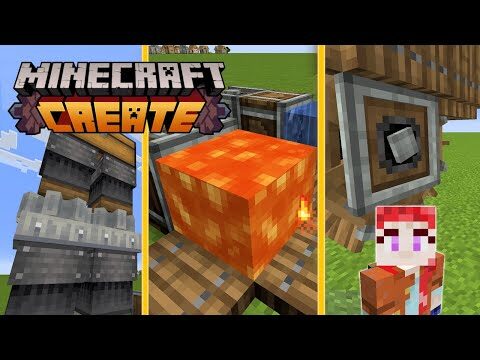
Minecraft Create Mod: Essential Tips for Beginners
The Create Mod in Minecraft introduces a whole new way to interact with your world. Built for players who love automation, engineering, and creativity, this mod adds mechanical systems that let you design everything from simple conveyor belts to fully-fledged automated factories. If you’re a beginner exploring this mod for the first time, this guide will equip you with essential tips to kick-start your engineering journey within Minecraft’s blocky universe.
What Is the Create Mod?
Create is a Minecraft mod focused on automation, aesthetics, and innovation. Using rotational power and components like gears, shafts, and mechanical arms, you can build complex machines that simplify resource collection, processing, and transportation.
Unlike other automation mods, Create stands out because of its immersive systems and visually satisfying mechanics. Instead of magic blocks or simple pipes, you’re engineering physical systems — think water-powered wheels turning gears to transfer energy across your factory system.
Getting Started with the Basics
If you’re new to the Create Mod, understanding the foundations will go a long way. Let’s break down the elements that every beginner should learn first.
1. Understand the Mod’s Core Concepts
At its core, Create is all about rotational energy. This energy powers machines and connects through a network of parts that carry and convert the energy into different forms.
- Rotational Power: Comes from sources like water wheels or windmills.
- Mechanical Components: Includes shafts, cogwheels, gearboxes, and more.
- Functional Machines: Drills, harvesters, depots, and fans that do specific tasks.
Learning how to generate, transmit, and control rotational force is key to mastering the mod.
2. Craft These Essential Starter Tools
The following tools are must-haves for anyone beginning their journey:
- Wrench: Allows you to rotate, dismantle, and configure most Create components.
- Schematic and Schematicannon: Help you plan and assemble blueprints for large builds.
- Goggles: Let you see mechanical stats like stress levels and rotation speeds.
Start assembling these items right after installing the mod.
Generating and Using Rotational Energy
3. Choose a Power Source
There are several ways to produce rotational energy. Here are a few of the most beginner-friendly:
- Water Wheel: Simple and effective. Place it next to flowing water, and it starts generating energy.
- Windmill Bearing: Requires sails but offers powerful and renewable output.
- Hand Crank: Ideal for simple testing setups where automation isn’t necessary.
Stick with water wheels at first; they strike a balance between efficiency and ease of use.
4. Understand Speed and Stress
The Create Mod introduces new mechanics: speed and stress. Machines connected to rotational energy will perform differently based on these values.
- Speed: Determines how fast a machine will run.
- Stress: Each machine adds stress to the system. If stress exceeds capacity, the system breaks down.
Use gear ratios to manage these. Small cogwheels increase speed, but reduce torque; large cogwheels do the opposite.
Build Simple Automation Systems
5. Start with Conveyor Belts and Encased Fans
Create’s conveyor belts are versatile and perfect for moving items across your base. Using belts connected to shafts, you can transport ores, crops, or crafted items from one location to another. Combine this with:
- Encased Fans: Can be used for washing (purifying ores), heating (smelting), or delivering air currents.
With just a few of these components, you can automate basic tasks like ore processing or crop movement from farm to depot.
6. Try Mechanical Drills and Harvesters
Mechanical drills and harvesters are used to collect blocks and crops automatically. Attach them to a machine like a rotating contraption (e.g., a powered cart or moving structure), and they’ll harvest blocks in their path.
Pro tip: Attach drills or harvesters to a mechanical bearing to create rotating harvesting machines that replant and regrow endless supplies!
Planning Bigger Contraptions
7. Use Gearboxes for Custom Movement
Gearboxes let you control direction and split rotational power across different axes. They’re especially useful when building multi-floor factories or expanding horizontally across your base.
- Vertical Gearbox: Changes direction from horizontal to vertical.
- Encased Shaft: Provides clean and organized layouts while maintaining torque transmission.
Plan your layout before building — this helps maximize space and reduce friction in your design.
8. Experiment with Moving Structures
Create allows you to build dynamic structures like elevators, trains, flying contraptions, and ferris wheels (as seen in the image). Use a Mechanical Bearing or cart assembler to animate these structures.
- Mechanical Pistons: Help extend builds vertically or horizontally.
- Glues and Super Glue: Stick parts together for movement.
Make sure to test small before scaling up your moving machines.
Final Tips for Beginners
9. Watch Stress Levels
Always wear your Goggles when troubleshooting. If machines stop working or move erratically, it’s probably due to excessive stress. Split loads across different shafts or generate more power to fix overloaded sections.
10. Use Community Resources
Because Create is a complex mod, lots of tips, designs, and guides are shared by the community. Check out:
- YouTube tutorials for practical builds
- Reddit or mod wikis for creative ideas
- Schematic sharing tools to import/export design blueprints
You’ll master the mod much faster if you learn from others and iterate on their designs.
Conclusion
The Minecraft Create Mod is a game-changer for players who love automation, architecture, and engineering. By starting small with simple machines and conveyors, and learning the mechanics of stress, gears, and power, even a beginner can evolve into a full-blown industrialist in no time.
Take it one build at a time, and don’t be afraid to think outside the block — with Create, your imagination is the limit!
